

How to Use TracME
❋
Choose which TracME Movement Tracking sleeve you have.
Sleeve Type
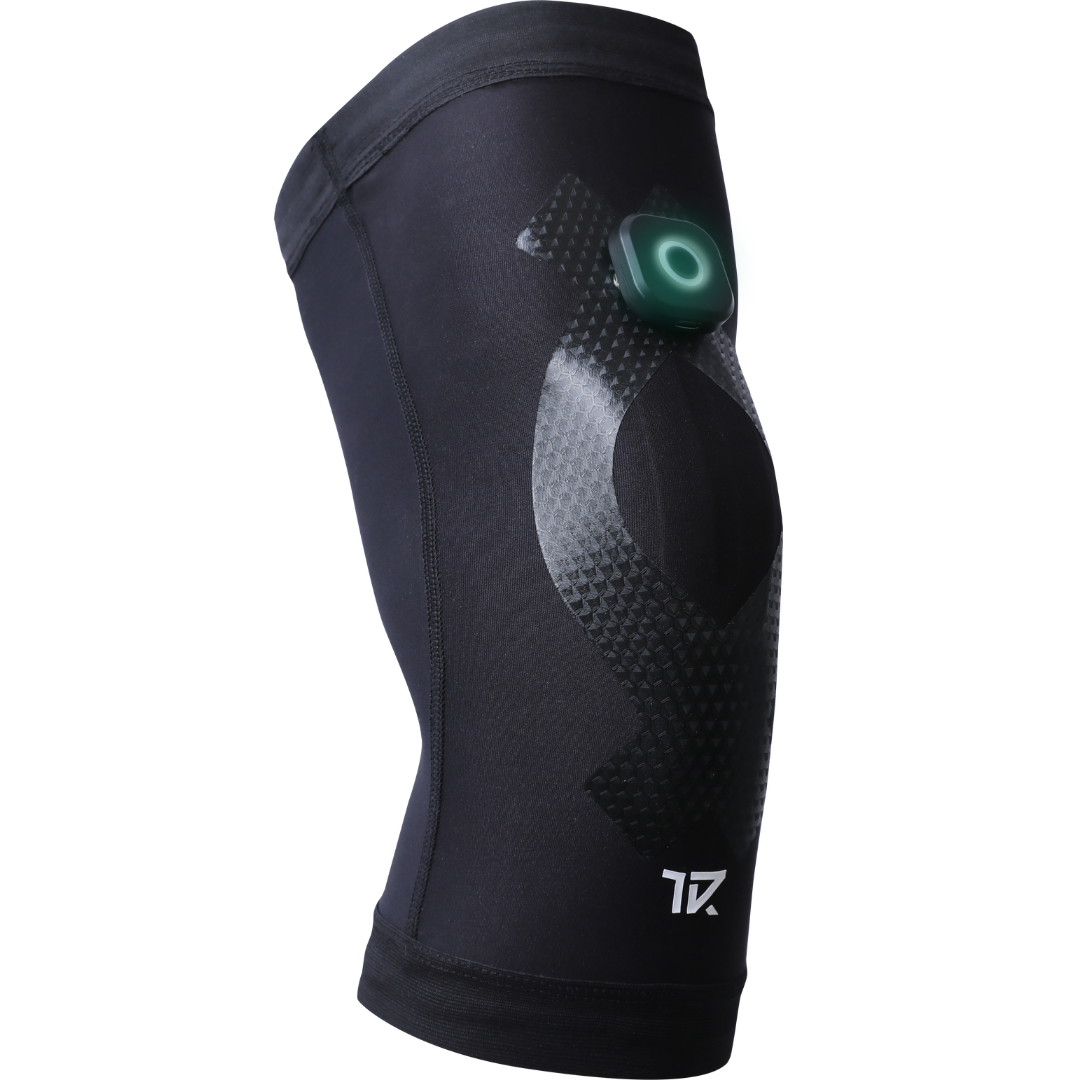
Velcro Type
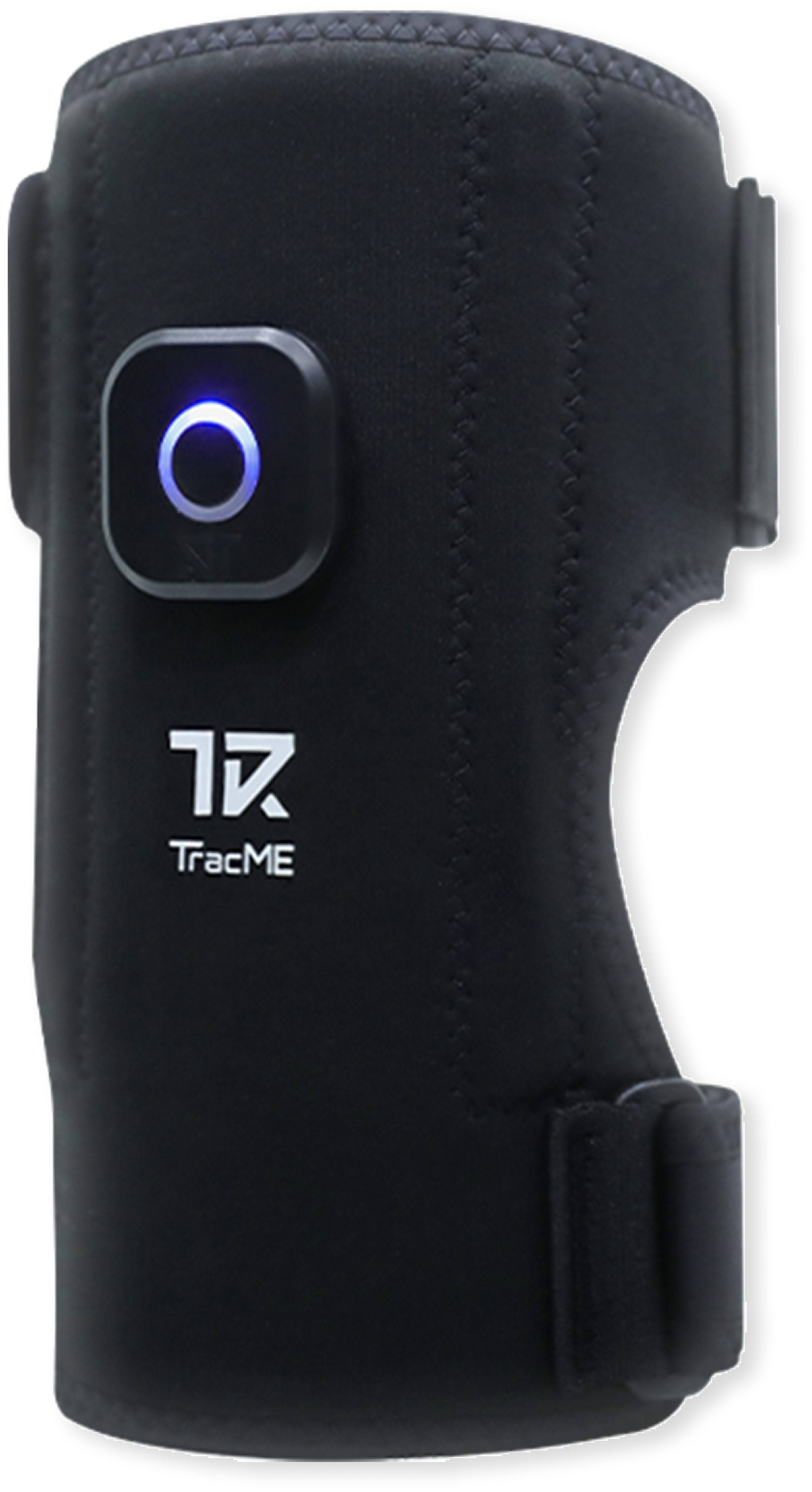
Sleeve Type
STEP 1Download the TracMe App
Sign-up and explore
If the TracME App is unavailable in your country, please get in touch with us here. It will take one business day to go live.
Currently available languages are: English, Korean


STEP 2
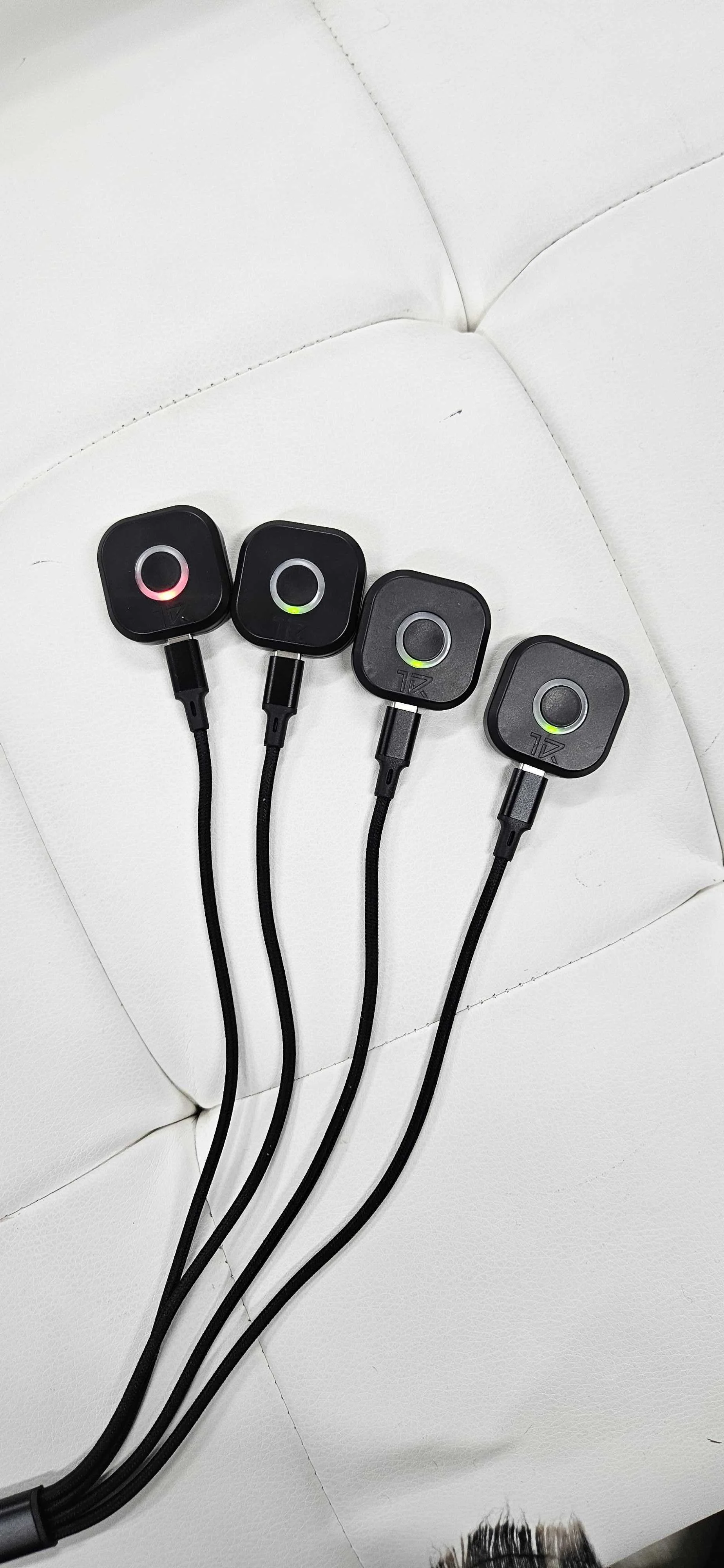
Fully Charge the TracME Devices (USB-C)
TracME Devices are partially charged when shipped, however in some cases they may be very low on battery.
Takes 40minutes to fully charge.
STEP 3
Wear the Sleeves
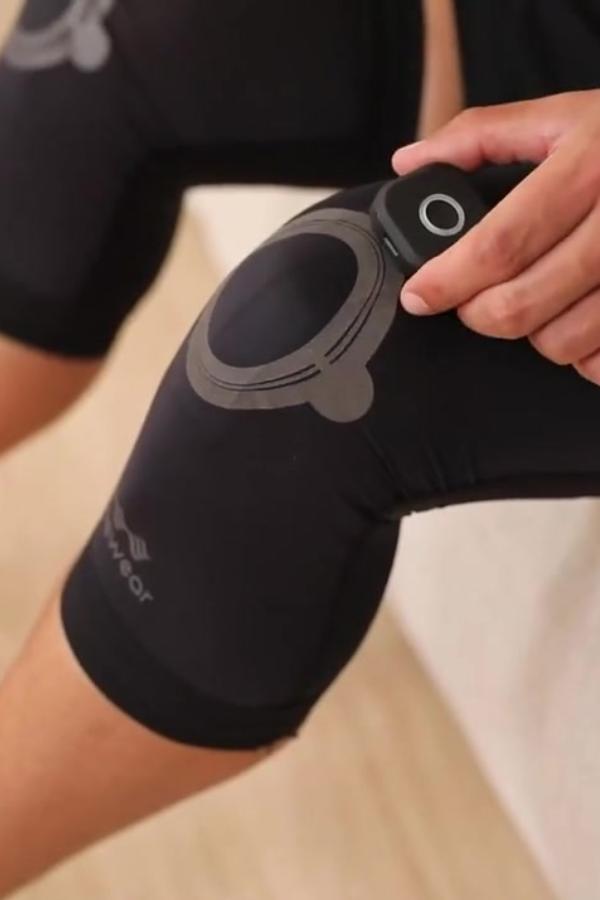
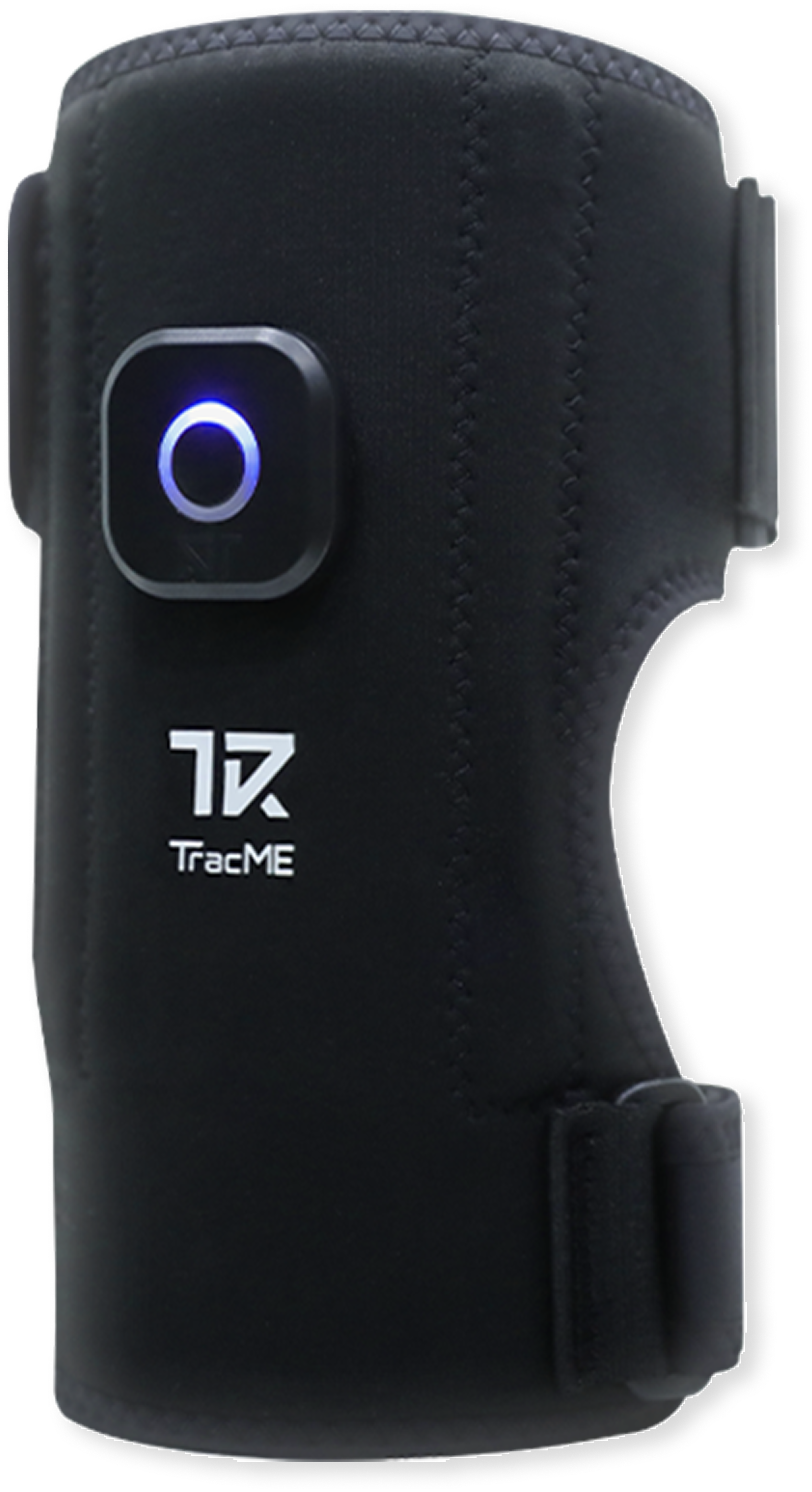
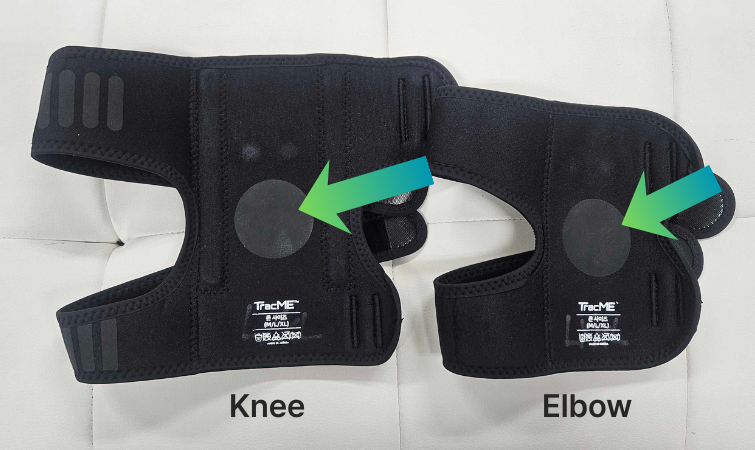
- Align your knee cap/ elbow in the center of the circle design
This placement is best for the sensor to read your movement.
If you touch inside the sleeve, you can feel the sensor inside. Placing your joint in the center of the circle design provides optimal placement for accurate movement readings.
STEP 4
Connect the Devices to the App via Bluetooth
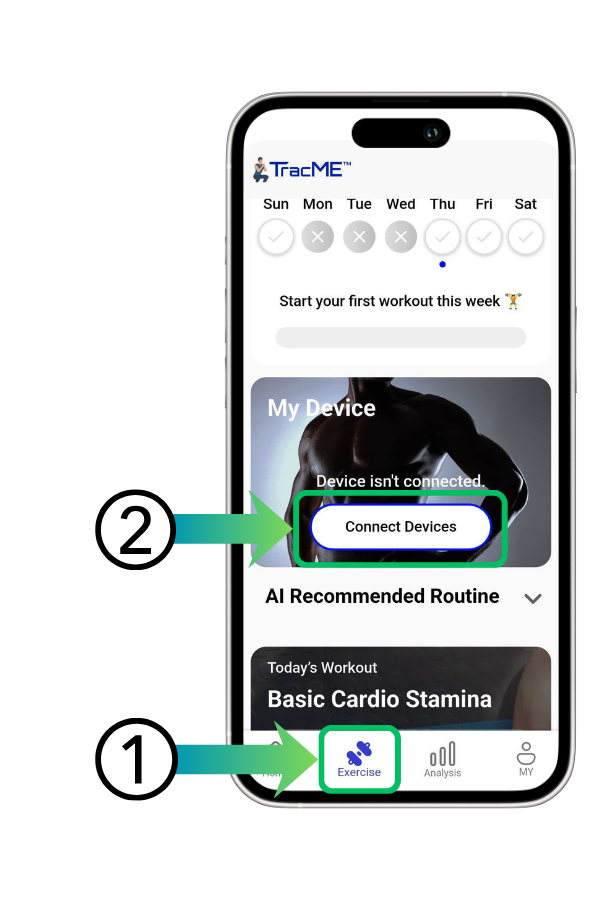
1. Go to the Exercise tab
2. Click “Connect Devices.”
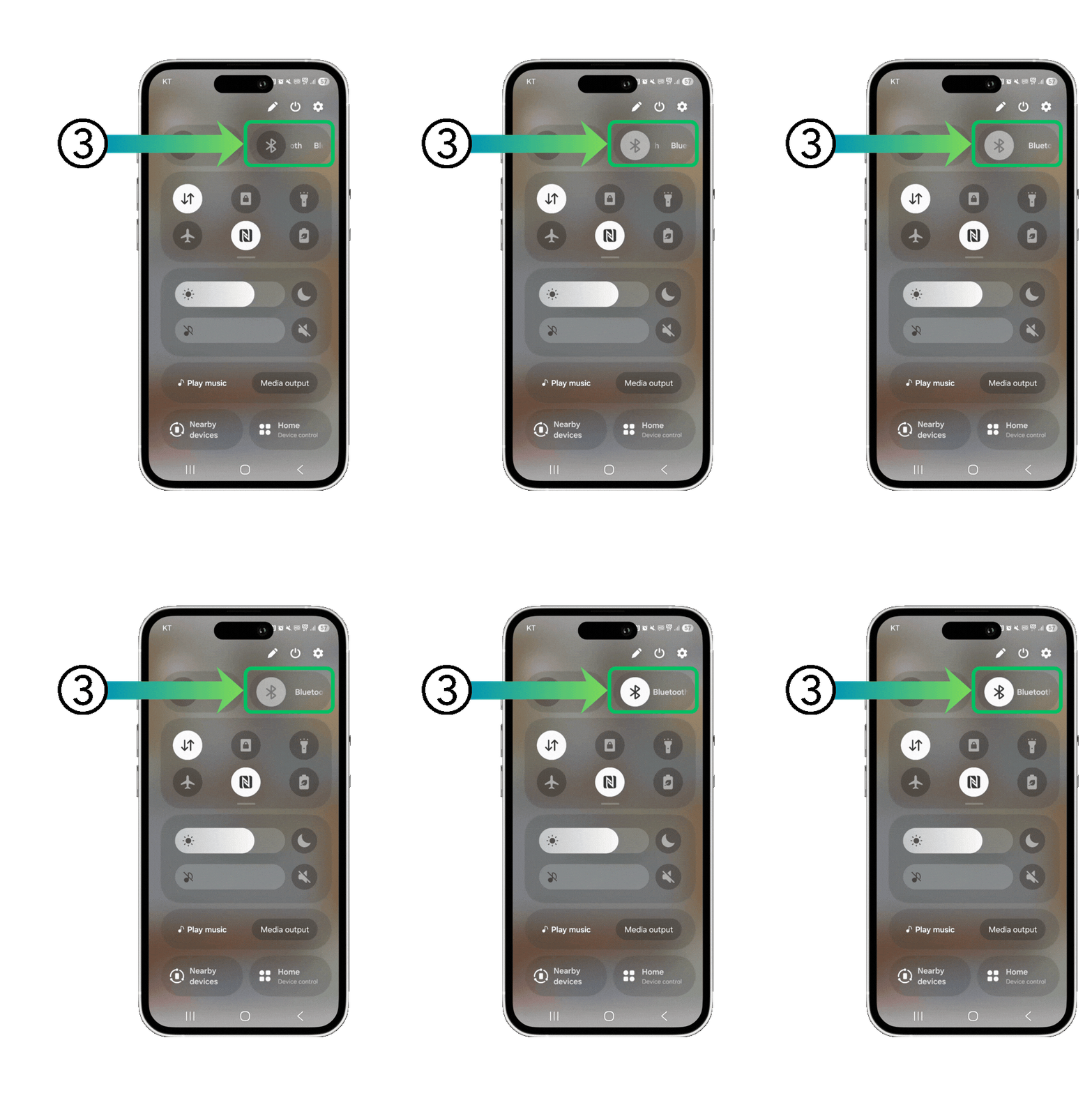
3. Turn on your phone’s Bluetooth
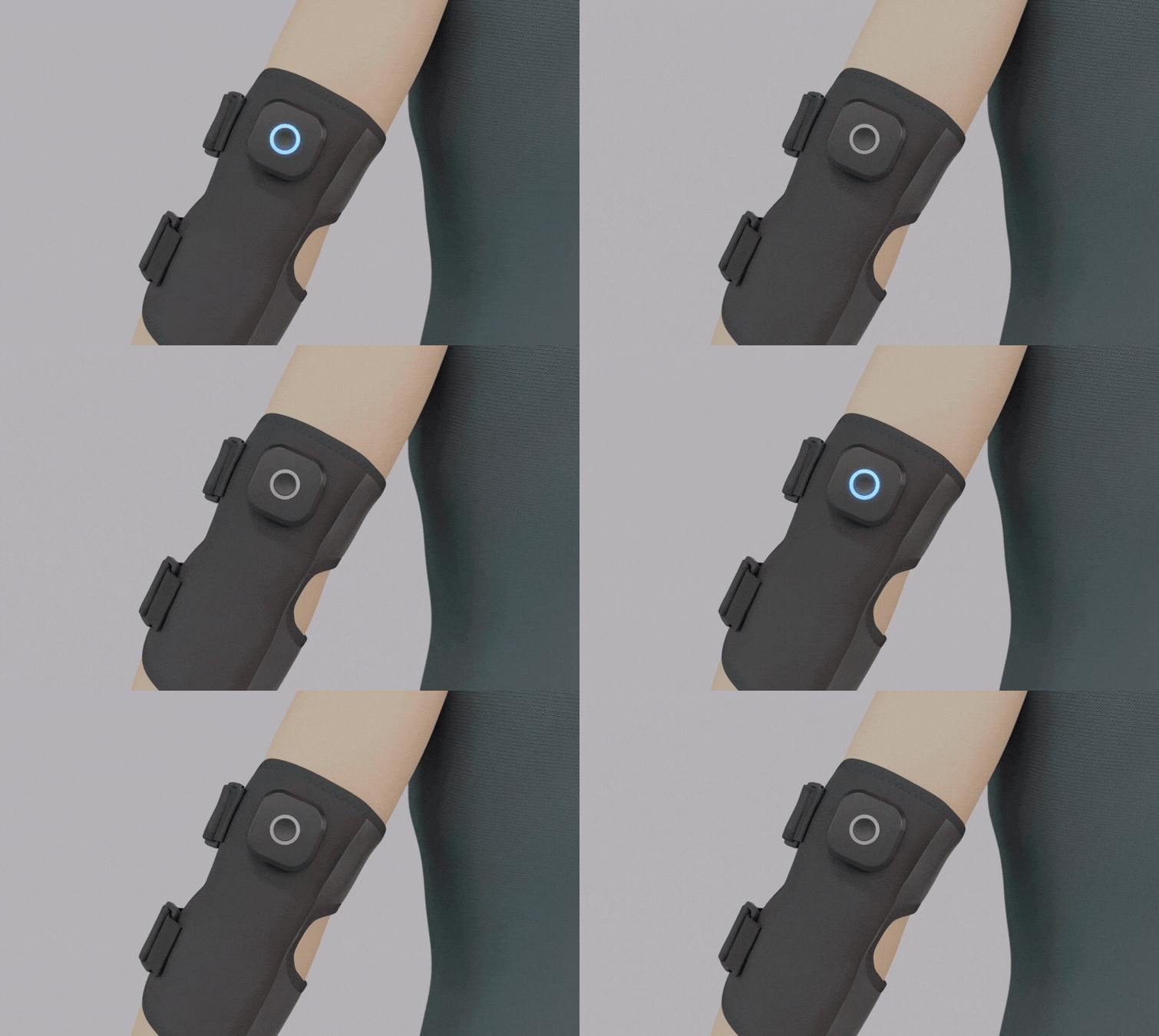
4. Turn on the devices by holding the center button for 5 seconds.
If the light blinks blue, it is in pairing mode.
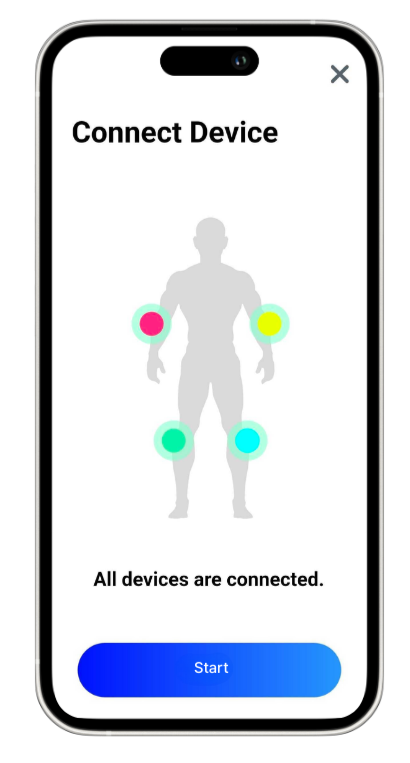
When all four devices
are connected
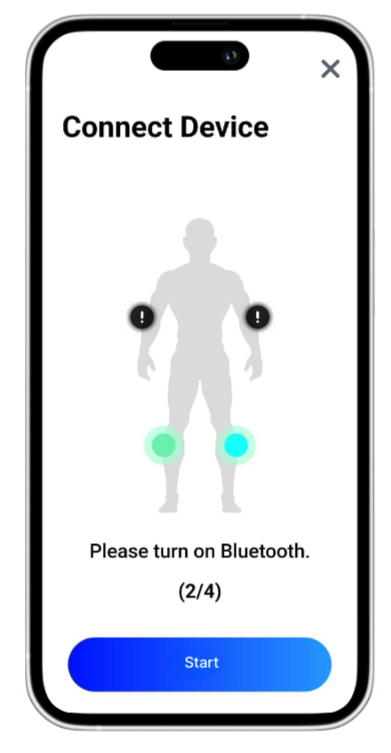
You can also exercise only the lower or upper body
STEP 5
Attach devices to the sleeves
STEP 6
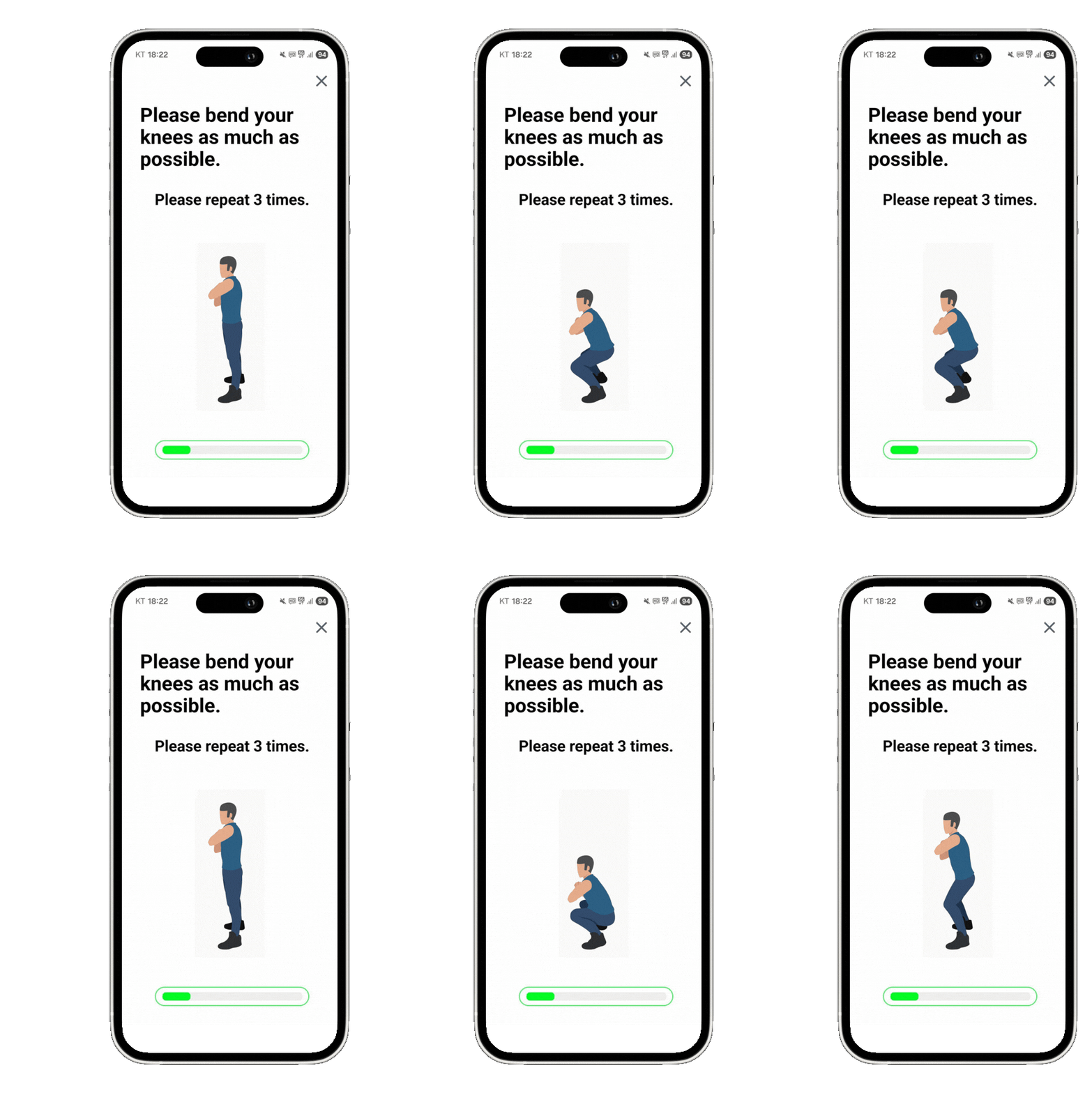
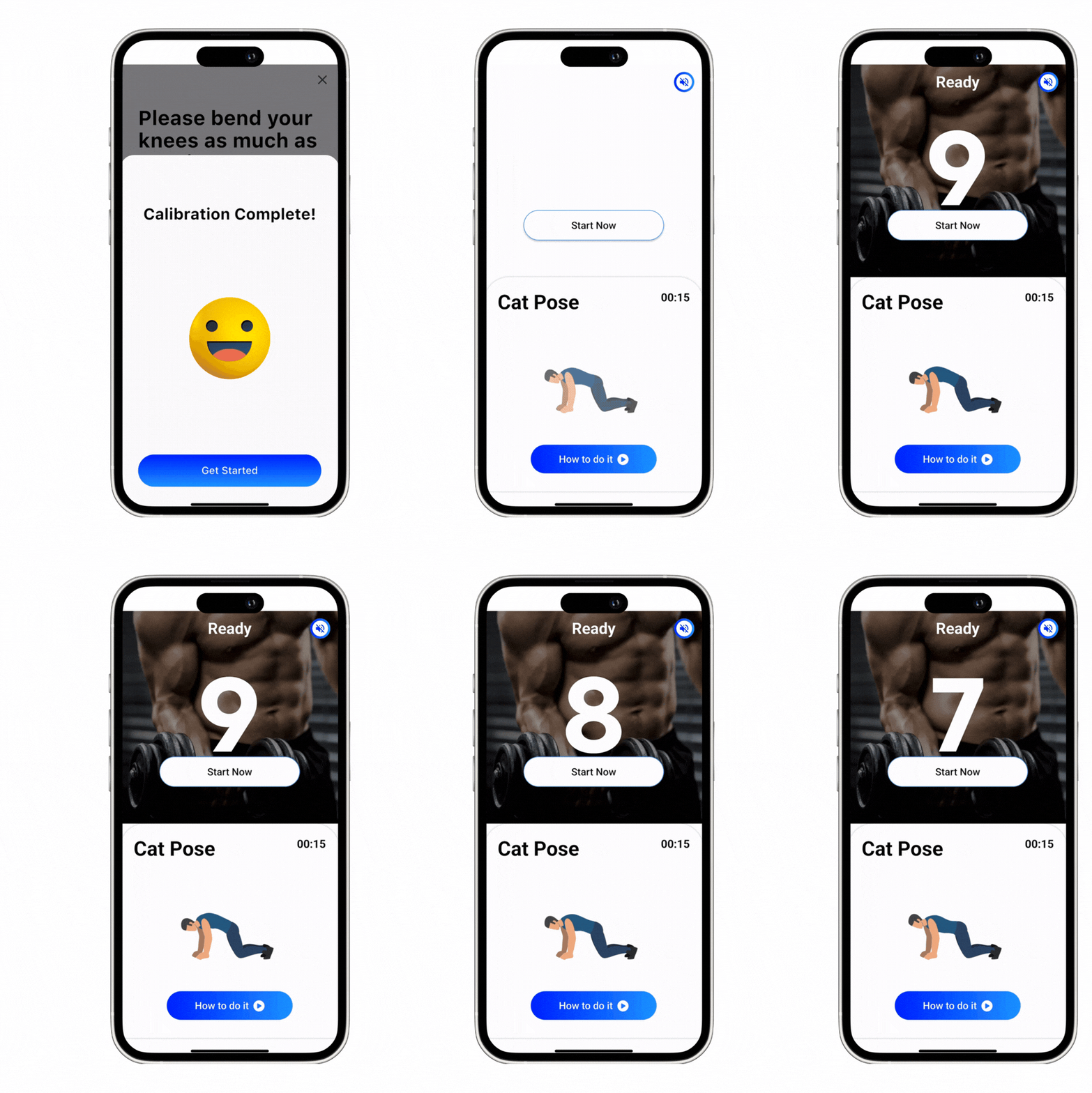
Callibration Process
What is callibration?
Once the Devices are connected, we will go on to the Callibration process.
This is for the sensor inside to read your unique movement and match it to the movement data in our system.
Before each session, we will ask you to do calibration.
STEP 7
Start your Workout!


Learn More Updates and News
Velcro Type
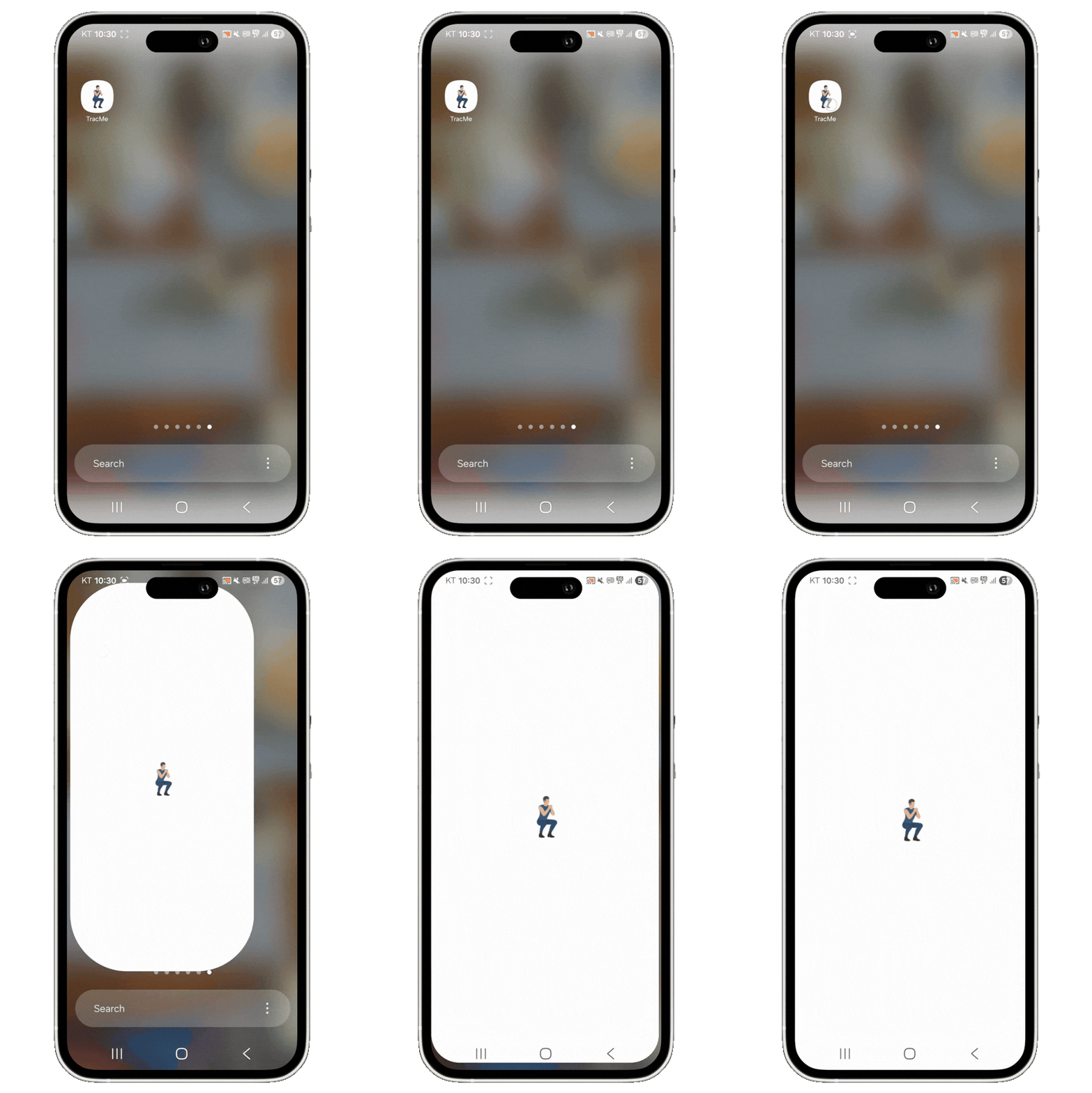
STEP 1Download the TracMe App
Sign-up and explore
If the TracME App is unavailable in your country, please get in touch with us here. It will take one business day to go live.
Currently available languages are: English, Korean
STEP 2
Fully Charge the TracME Devices (USB-C)
TracME Devices are partially charged when shipped, however in some cases they may be very low on battery.
Takes 40minutes to fully charge.
STEP 3
Connect the Devices to the App via Bluetooth
1. Go to the Exercise tab
2. Click “Connect Devices.”
3. Turn on your phone’s Bluetooth
4. Turn on the devices by holding the center button for 5 seconds.
If the light blinks blue, it is in pairing mode.
When all four devices
are connected
You can also exercise only the lower or upper body
STEP 4
Attach Devices to Sleeves first and then wear
1. First attach the devices to the sleeve
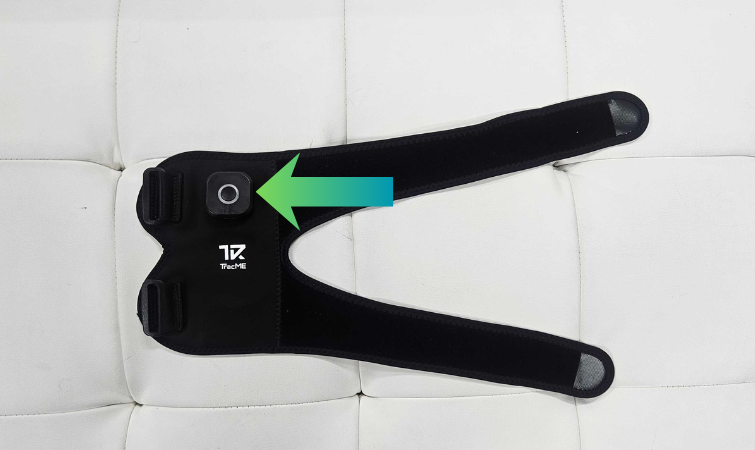
2. Loop both of the straps inside the buckles
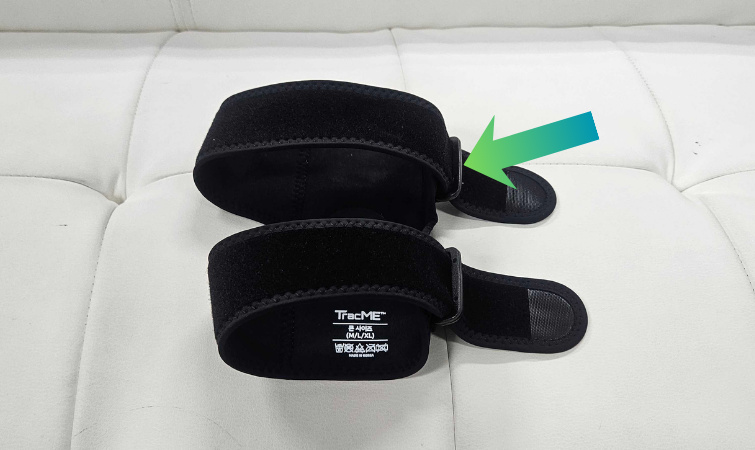
3. Wear on your knees/elbows - it is easier when buckles are looped beforehand
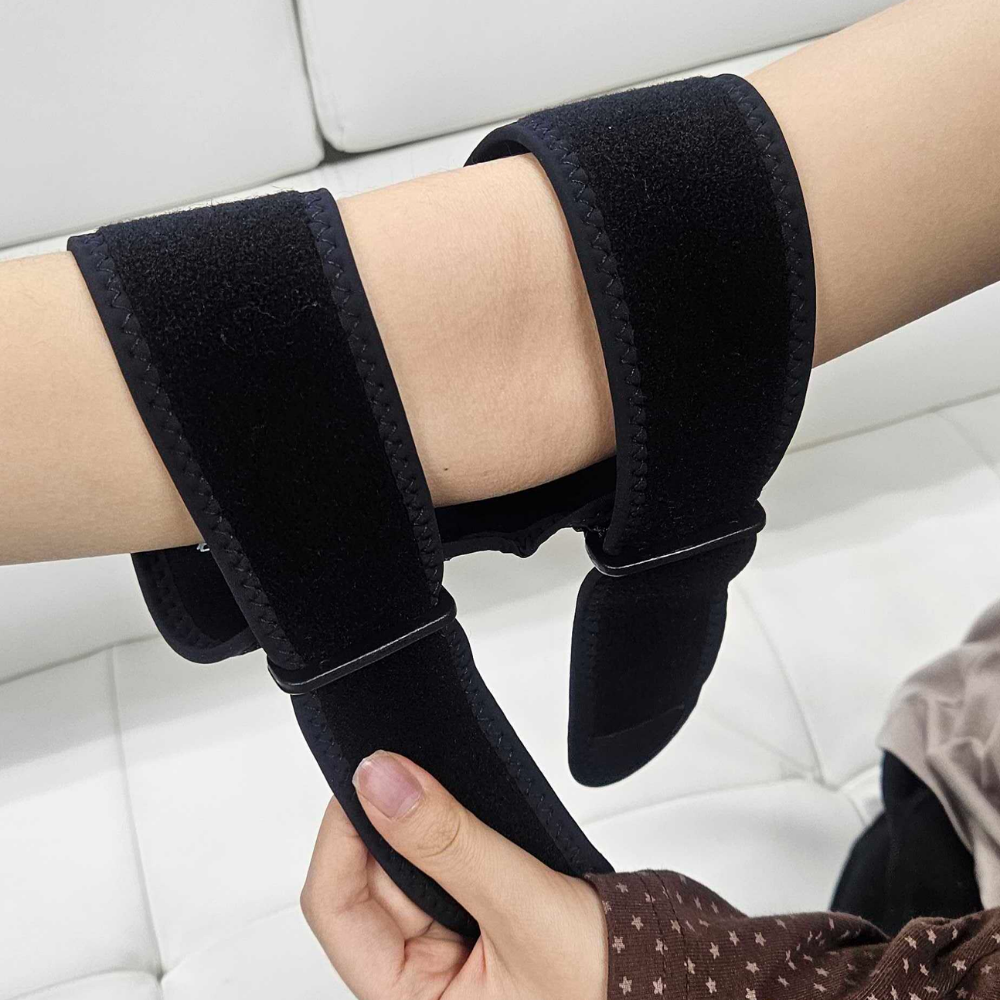
4. When wearing, make sure the inside circle is placed where your joints bend
STEP 5
Callibration Process
What is callibration?
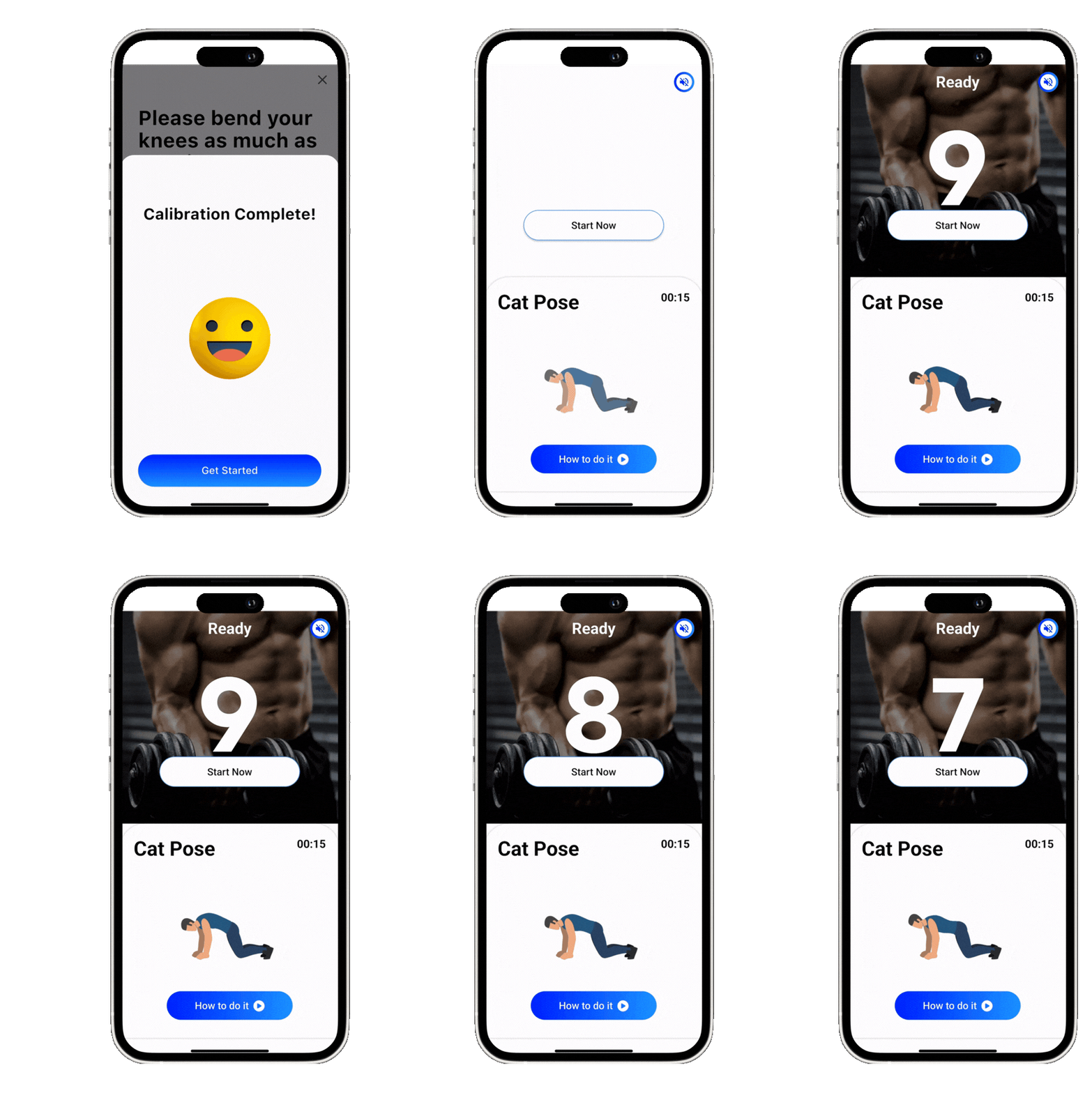
Once the Devices are connected, we will go on to the Callibration process.
This is for the sensor inside to read your unique movement and match it to the movement data in our system.
Before each session, we will ask you to do calibration.
STEP 6
Start your Workout!
Learn More Updates and News